Slik kjøper du
Trenger du råd? Våre kunskapsfulle forhandlere er mer enn glad for å hjelpe deg. Selv med store og små spørsmål.
Finn en forhandler nær deg
Instructional videos
Justin Tyers • 28 January 2022
Did You Know?
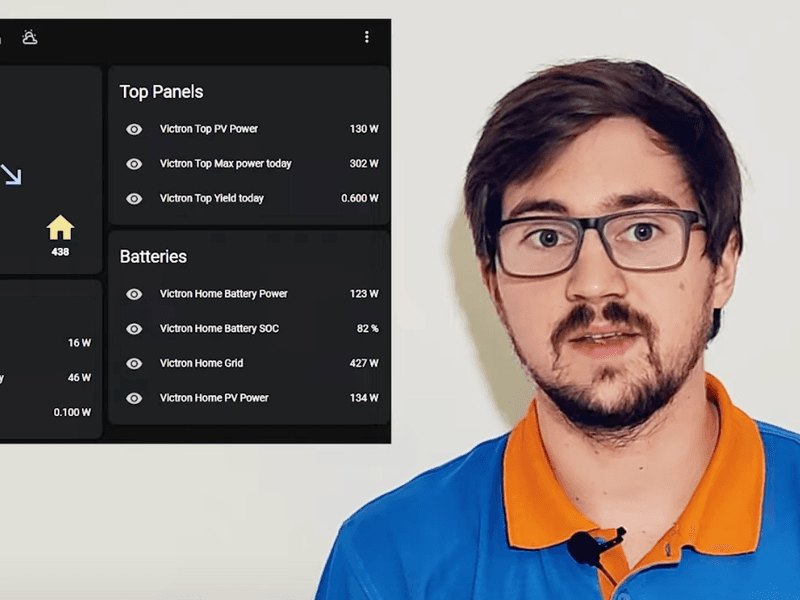
Got a question? Afraid to ask? Our series of Did You Know videos answers FAQ’s – fast. In only a minute or two, each one demonstrates a useful – but little-known – setting or feature on your device; or they de-mystify power generation, storage, and supply. The videos are presented by knowledgable members of Victron staff, or Ambassadors who work with our products everyday. They present complicated technology, simply. At the time of writing there are 24 videos in our Did You Know playlist – and we’re adding more all the time. Here are the neat little questions we’ve answered so far: Did You Know… Why an MPPT charge controller starts 5 Volts DC above battery voltage? Johannes Boonstra 1:16 How to Trigger a Solar dump load when your batteries are full. Johannes Boonstra 2:01 How to extend the life of your Lead-Acid Battery . Johannes Boonstra 5:43 How to reduce inverter power consumption when in standby Simon Ytterbom. 1:59 How to use your Blue Smart Charger as a power supply . Jono 0:57 What is the C-Value , or 20-hour rate, of a battery? Johannes Boonstra. 4:04 How to test a battery temperature-sensor . Johannes Boonstra. 2:17 How to create a battery profile for non-Victron Batteries. Marianka Pranger. 1:20 How to update the MultiPlus Firmware using an Android Phone . Lucian Popescu. 1:26 How to change the logo on a GX display. Lucian Popescu. 1:07 How to monitor your system remotely using Victron’s Remote Management platform. Nate 1:25 You can add a GPS receiver, and create a Geofence Alarm to your system. Jono 0:52 How to change the name of your device. Jono. 1:02 How to move VRM data from an old to a new GX device . Lucian Popescu. 0:45 How to remotely change settings for the MultiPlus & Quattro. Simon Ytterbom. 1:26 How to add power to a limited shore-power outlet . Nate. 1:44 How to disable Bluetooth on a Smart device. Lucian Popescu. 1:25 How to integrate your Victron System with Home Automation . Valentin 1:15 How to use an Autotransformer . Marc Stevens. 0:53 Learn more with Victron Online Training , and webinars. Nate. 1:40 How to calculate the right size MPPT Solar Charger for your installation. Bob Hopman. 1:20 How to Download GPS tracking to VRM and plot your route. Simon Ytterbom. 1:16 Find technical documents , learn, and get involved with Victron Energy. Nate. 0:58 How to Protect Batteries with MultiPlus Charge-Only mode . Simon Ytterbom. 1:49 More Video Information Whilst visiting our YouTube channel why not browse the titles in our Instructional Videos? There you will find both long and short videos which provide often asked-for information. Or you can sit back and attend one of our technical Webinars which explore some of our applications, and our third-party product compatibilities. Full In-Depth Product Training is also available for our entire product range on the Online Training page of Victron Professional . You will need a Victron Professional account to login – if you don’t already have a login account you are welcome to create one. Spend some quality time in our video library!
John Rushworth • 26 March 2020
Sailing Uma: Off-grid energy usage
With 156,000 subscribers, the Sailing Uma YouTube channel is a fun and educational resource for voyaging sailors – particularly those on a budget that do their best to avoid marinas. Doing so means living primarily off-grid using the power of the sun for Uma’s principal energy needs. No mean feat when you consider Uma has an electric motor for auxiliary propulsion, rather than diesel. Uma Uma is a 1972 Pearson 36. As her webpage says: “She is neither fancy and expensive, nor cheap and flimsy—to us, she is perfect. We wanted a name that carried with it the motivation and rational that led us to buy her in the first place. Her name was inspired by the Portuguese number 1 (uma), meaning first or primary.” Electricity needs Personally I’ve been following this adventurous couple ever since they first got Uma and started converting her to electric propulsion. My interest was to see how others do it, having converted in much the same way to auxiliary electric propulsion some 7 years ago myself – and having discovered just how hungry power needs onboard can be, when considering generation of electricity, storing the resulting energy and managing the use of that power. My own electric journey with Sailing Yacht Elektra is linked from my personal webpage, along with a little about myself: http://John.Rushworth.com My own efforts aside, how have Dan & Kika done it? Some of it is down to using efficient Victron Energy products, but that’s only part of the story. Good management of resources is also key. In this video Dan explains how they have arrived at a good balance and understanding of their energy needs. Note: Do forgive Dan his muddling of Power (W) vs Energy (Wh), as you know what he means to say! Conclusion Having recently crossed the Atlantic to UK, Uma’s current stats say it all and give Dan & Kika the authority to talk about voyaging and energy use onboard a sailing yacht. Countries Visited – 22 Nautical Miles Sailed – 18,358 Gallons of Diesel Consumed – 0 I trust you agree and enjoy the video above and their excellent YouTube channel. My thanks to Dan & Kika for the use of images and content for this blog. To learn more about energy onboard why not check out the Victron Energy booklet – Energy Unlimited , available for download as a PDF in our Whitepapers section of the main website. John Rushworth Links Sailing Uma Website Sailing Uma on YouTube Sailing Uma on Facebook Sailing Uma on Instagram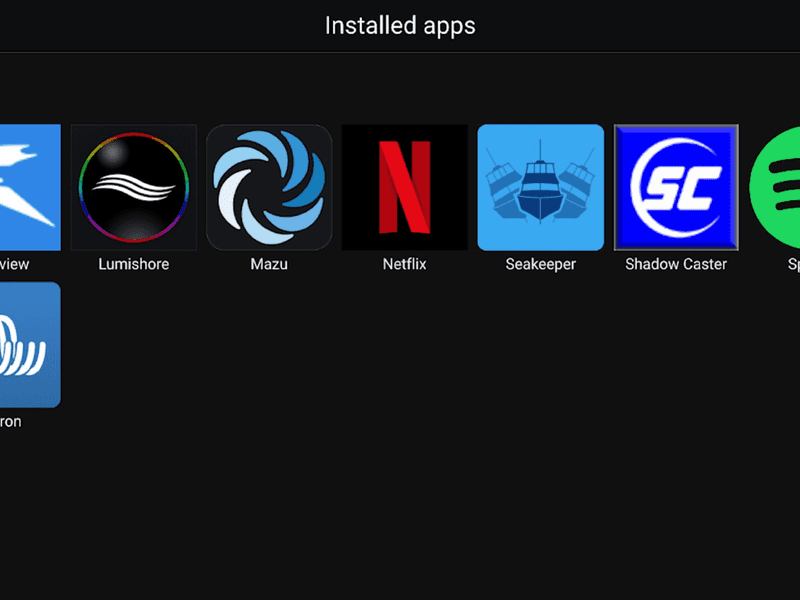
John Rushworth • 07 January 2020
Raymarine & Victron integration video
It’s that time of year in the UK, when many a boat is hauled out and their owners upgrade and maintain their systems. Victron video Victron video producer Jonathan Cecil recently took a trip to Whitehaven Boatyard in Cumbria to see what such owners, Victron dealers and installers get up to over the winter period – and in so doing produced the fascinating video embedded later in this blog. Upgrade brief In this instance the brief, to Victron specialist Chris Dobson of UK Marine Electronics Ltd., was a full Victron and Raymarine upgrade for sailing yacht Pilgrim, including a lithium battery system, upgrading Victron power systems and integrating them with a new Raymarine MFD. Pilgrim prepares for her winter haul-out Pilgrim was built on the Hamble in 2002, is 32′ LOA, planking construction and sheathed in epoxy – making for a heavy displacement, stable vessel. Raymarine integration This very useful upgrade with the advent of Victron’s latest Venus OS for their GX devices and the release of Raymarine’s latest Lighthouse software, means that users can view the status of Victron equipment on their Raymarine MFD. A Venus GX is device is able to communicate with the Raymarine Axiom Multi Functional Display (MFD) either directly or through a network router, via the Ethernet port and a RayNet adapter. Upgrade components Raymarine Equipment Raymarine Axiom 12 Display with RealVisio 3D Sonar Lighthouse 3 Software Update to Firmware: v3.11.42 i60 Wind Instrument i50 Speed and Depth Instruments Quantum Wireless Chirp Radar Click image to download PDF schematic The Raymarine Equipment is connected together with NMEA 2000 / SeaTalk ng . In this installation the Victron Venus GX is connected to the Axiom MFD via Ethernet with the Raymarine RayNet Female to RJ45 Male Cable adapter. It is also possible to connect all the Victron components to a Venus GX device, and have that connect to NMEA 2000 as well, providing yet another way to display your power system information on your boat’s Multi Functional Display/s. Victron Equipment Venus GX MultiPlus Compact 12 |1600 | 70 VE.Bus BMS 2 x 150Ah Victron Lithium LiFePO4 batteries BMV-712 Smart battery monitor and shunt SmartSolar charge controller MPPT 75 | 15 BatteryProtect 65A to disconnect solar charge BatteryProtect 220A to disconnect 12v load 50A Buck-Boost DC-DC Converter for engine alternator to control the power to the Lithiums Blue Smart IP65 Battery Charger 12v 15A Click image to download PDF schematic Video – Raymarine & Victron Integration Learn more – MFD integration for Raymarine and other brands For the full documentation about MFD and NMEA 2000 integration, please see the following. The main NMEA 2000 & MFD integration guide https://www.victronenergy.com/live/ve.can:nmea-2000:start Integrating with GX Devices For MFD App-type integration: https://www.victronenergy.com/live/ccgx:start#marine_mfd_integration_by_app For NMEA 2000 integration: https://www.victronenergy.com/live/ccgx:start#marine_mfd_integration_by_nmea_2000 Lithium cold charging issue Chris Dobson (seen in the video above) loves problems and is very keen to solve them, especially ones such as – lithium don’t like to be charged below 5C. This being an issue, Chris thought outside the box and used the resistance properties of a Venus GX to measure the temperature of the battery box, which in turn controlled a relay. Chris used a PT100 temperature probe inside the battery box, between the batteries, which is a resistance probe. As the Venus GX uses resistance for its tank levels, Chris used this to control one of the Venus GX relays. This, in turn, controlled a 12v Coil VF4 SPDT relay to turn a 12V 30W heat pad on/off, that was placed under the batteries. Whilst not included in the video, Chris also insulated the battery box and added some strips of ply to form an air gap between the heat pad, aluminium sheets and the batteries – so they weren’t just sitting on the heat source. Conclusion Apart from the innovative solution for ensuring lithium batteries are charged correctly when it’s cold outside, it’s great to see how well Victron GX devices now integrate with Raymarine MFDs. A winning combination for many boat owners, I suspect. For any technical discussions regarding this blog (rather than using Disqus below) please see this thread on the Victron Community: https://community.victronenergy.com/articles/38545/raymarine-victron-integration-aboard-a-32-foot-sai.html John Rushworth Credits Installer – Chris Dobson for UK Marine Electronics Ltd., who are a Victron Dealer in Whitehaven, Cumbria and offer marine, off-grid & backup, energy storage and support. Website – https://www.ukmel.co.uk Facebook – https://www.facebook.com/UKMEL/
John Rushworth • 28 November 2019
Inside the Victron MultiPlus with Johannes Boonstra
It’s sometime ago since I wrote about how I used a MultiPlus on an electric sailing yacht – MultiPlus magic: Small generator, big power . I wish Johannes had done this new video back then – I might not have had to do so much reading to discover how they work! Here then is that new video with work colleague Johannes Boonstra explaining the MultiPlus and how it works. John Rushworth Credits The video producer is Jonathan Cecil . The video was filmed at Midland Chandlers in the UK, who have four well stocked showrooms based in Preston Brook (Warrington), Braunston (Daventry), Penkridge (Staffordshire) and Willington (Derbyshire). Midland Chandlers have been established for over 40 years and are a Victron Energy dealer and market leader in the supply of equipment for inland waterways craft.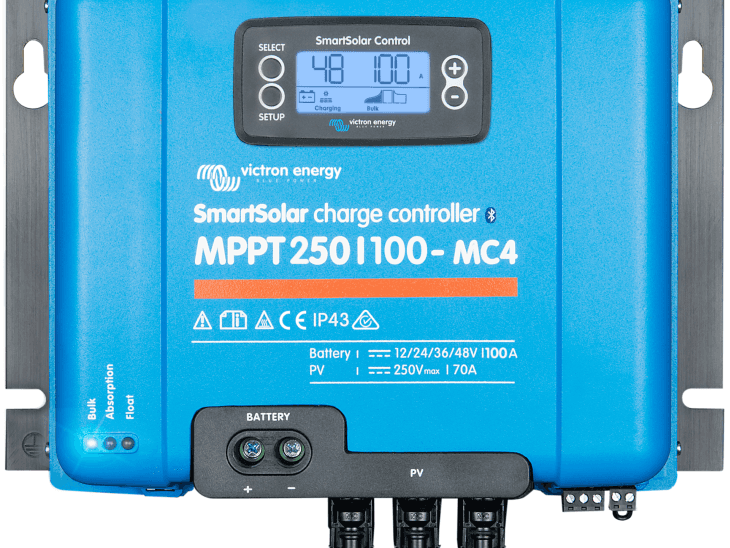
John Rushworth • 07 June 2018
Video – Introduction to the SmartSolar MPPT 250/100
The SmartSolar MPPT 250/100 is the most powerful MPPT solar charge controller in the Victron Energy MPPT range – ideal for larger installations. Why not take a look at this high end product in our latest video from the Victron Energy instructional video series. SmartSolar MPPT 250/100 Bluetooth Smart built-in Ultra-fast Maximum Power Point Tracking (MPPT) Advanced Maximum Power Point Detection in case of partial shading conditions Outstanding conversion efficiency Automatic battery voltage recognition Flexible charge algorithm Extensive electronic protection Internal temperature sensor VE.Direct for wired data to a Color Control GX or Venus GX Remote on-off Programmable relay Optional: pluggable LCD display Thanks to Marianka Pranger for organising this video and in arranging the cameo appearance of Victron MD Matthijs Vader! If you have any particular instructional videos that you’d like to see made, please leave a comment in Disqus below or email Marianka directly at: mpranger@victronenergy.com Additional videos in the instructional video series can be found at: https://www.victronenergy.com/blog/category/instructional-videos/ John Rushworth Links Download the VictronConnect App VictronConnect guide for MPPT Solar Charge Controllers VictronConnect Manual Product page for the SmartSolar MPPT 250/100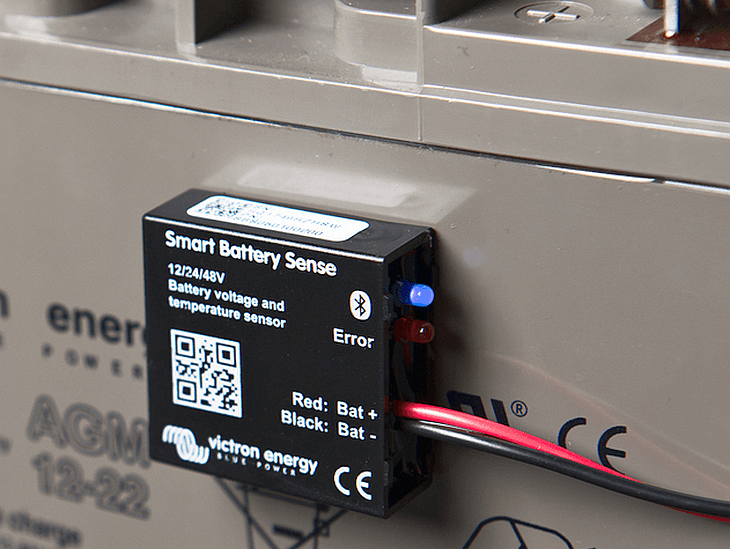
John Rushworth • 22 March 2018
Voltage & Temperature Sense for Solar Chargers
Our range of solar chargers fitted with a VE.Direct port were lacking battery voltage and temperature charge compensation. Not now ! Also, today we announce the launch of Victron Energy’s Smart Battery Sense – a product to complement the new feature. New, simple, smart …and wireless. Why do we need voltage and temperature sensing? Improves solar yield Maximises battery capacity Increases battery life AGM & Gel (lead acid) batteries use charging algorithms based on a standardised temperature of 25°C. However – when they’re cold these batteries need a higher charge-voltage …and a lower charge-voltage when they’re hot. So, optimally, we should modify the charge-voltage by, typically, -16.2mV/°C. Also there can be a difference between the voltage measured at an MPPT solar charger’s terminals, and that measured at the battery terminals. For optimum charging that discrepancy needs to be taken into account, too. The Victron Toolkit app demonstrates how this voltage drop is brought about as a consequence of cable length and gauge; together with voltage and current variations. Good news though: Our MPPT Solar Chargers and accessories can figure all this out – so you don’t have to! Voltage and Temperature data – transmitted wirelessly to your MPPT The Smart Battery Sense is a wireless battery voltage and temperature sensor for Victron MPPT Solar Chargers. Perfect partners. Simple installation – attach the unit to any battery by its self-adhesive tape. Protected by an inline fuse. Voltage and temperature data is transmitted wirelessly to the Solar Charger. Monitor & configure the unit from your smart phone – via our free-to-use VictronConnect app . Transmitted data can be networked to one, two – or more solar chargers connected to the same battery bank. Works for 12, 24 and 48 volt battery banks Works for both Lithium and Lead battery banks Compatible with most BlueSolar and SmartSolar MPPT charger models: see VE.Smart Networking for compatible-models list. Learn more from the Smart Battery Sense product page or from the Smart Battery Sense Manual – together with the VE.Smart Networking manual . Or watch the Smart Battery Sense introductory video: More options for Voltage- and Temperature- compensated charging Besides the Smart Battery Sense there are other options too. We’ve listed all of them in price order: Do nothing with no voltage-compensated charging. The MPPT already has ambient temperature sensing – though that method has its limitations. Installing Smart Battery Sense offers the best value for money. Connection to your solar charger(s) is wireless. Installing a BMV-712 Smart together with its temperature accessory , will provide full-blown battery monitoring, too. Connection to your solar charger(s) is wireless. Installing a Color Control GX or Venus GX , wired with a VE.Direct cable, and having DVCC enabled. This is for more complex systems – one’s which include inverter/chargers for example. Note: you may still need a BMV – subject to the battery-monitoring method for your system. Conclusion I’m pleased to see the launch of charge-compensated MPPTs; and of Smart Battery Sense . I’ll be happier knowing that my batteries are getting exactly the right charge with optimal temperature and voltage compensation. No matter how you choose to instigate voltage- and temperature- compensated charging, make sure you do – it brings only benefits! I always say: There are many ways to skin a cat – and the choice is yours. But Smart Battery Sense certainly does make sense when it comes to simplicity and economics! John Rushworth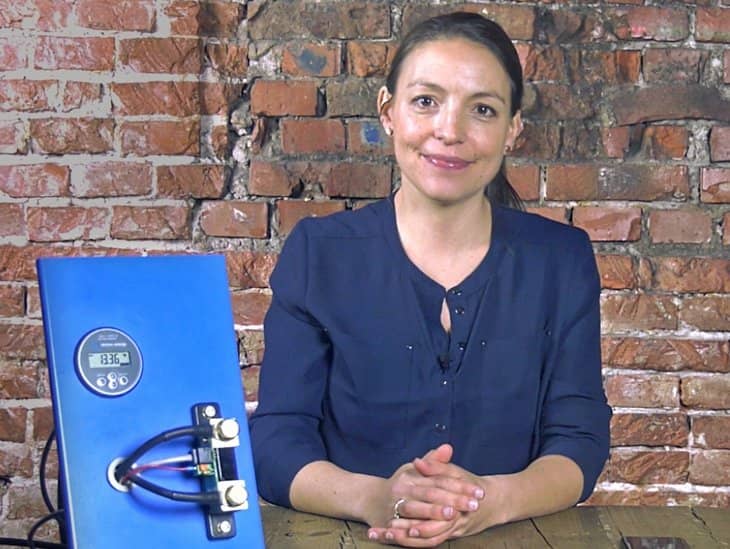
John Rushworth • 09 March 2018
BMV-712 Smart – New instructional videos
Toward the end of last year we announced the new BMV-712 Smart – like the BMV-702 but with the addition of Bluetooth built-in and reduced current draw. Now we have two helpful new videos explaining a little more about this ‘Smart’ product. You can read more about the BMV-712 Smart in this blog here , not forgetting the complimentary and latest version of VictronConnect which is updated from the images you see in that blog. To read about VictronConnect V4.0 go here . Before taking a look at the videos let’s first have a quick recap of what the BMV-712 Smart can do in comparison to other models. BMV series of battery monitors Victron have a complete range of battery monitors , but for the purpose of this blog we’ll focus on explaining the difference between the BMV series of battery monitors. There are principally two base models, the BMV-700 Series and its variants and the BMV-712 Smart . BMV-700 : Monitors one battery BMV-702 : Monitors one main battery plus another (e.g starter battery). If you have only one battery bank you can choose instead to monitor midpoint battery bank voltage or battery temperature using the additional temperature sensor cable . The 702 can be upgraded to Bluetooth with the VE.Direct Bluetooth Smart dongle , but that means the VE.Direct port is no longer free. BMV-712 Smart : Has all the functionality of the 702 plus Bluetooth connectivity, leaving the VE.Direct port free to connect to other monitoring and management solutions. It also draws less current. As the VE.Direct port is now free on the BMV-712 Smart you can connect it to other devices such as the Color Control GX or the Venus GX and even a Raspberry Pi – giving solutions for every budget and installation type. In the BMV-700 Series, the standard colour is grey but black is also an option with the 702. There’s also an additional high voltage version in the series, the BMV-700HS. Now without further ado here are two new videos to further enhance your understanding of the BMV-712 Smart. BMV-712 Smart – An introduction BMV-712 Smart – Lithium-ion synchronisation settings We hope you enjoyed these BMV insights and don’t forget to let us now what other videos you’d like to see, in the Disqus comments below. For additional instructional videos on other products, produced by Marianka and her team, why not visit Victron Professional. John Rushworth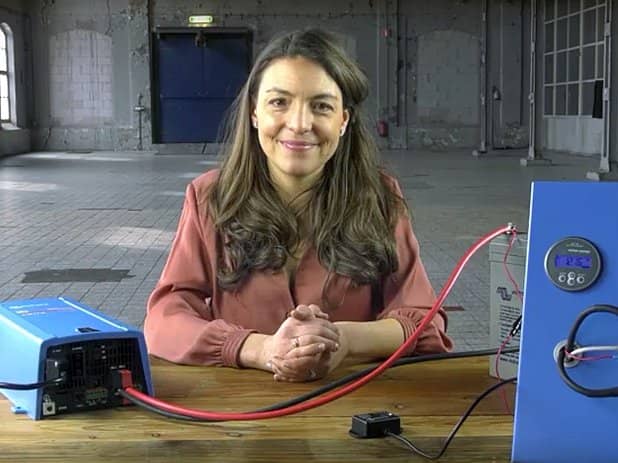
John Rushworth • 13 April 2017
Instructional video: How to optimise the BMV-700 series sync parameters
Does your BMV state of charge (SOC) synchronise too early or not detect a full charge? If so it is worth noting there are various settings for differing batteries and systems, to ensure your BMV works correctly. The default setup and settings are applicable for most situations, however the instructional video below shows you how to optimise the BMV-700 series synchronisation parameters for varying scenarios, to ensure the battery SOC read-out functions correctly. BMV-700 series models There are 3 model variants within the BMV series range : BMV-700 & BMV-702 (6.5- 95 VDC supply voltage range) and the BMV-700HS (60– 385 VDC supply voltage range). The principal function of the BMV series is to follow and indicate the state-of-charge of a battery. For the additional functionality that the BMV-702 provides, namely starter battery or temperature or mid-point voltage monitoring, please see the quick install guide . The video below gives clear instructions to ensure the BMV-700 series battery monitor synchronisation parameters are optimised. How to optimise the BMV-700 series sync parameters Video text transcript Hi there and welcome to this video showing how to optimise the BMV synchronisation parameters. In this video I will explain how the BMV knows when the battery is fully charged, and how you can optimise the related parameters. In most installations, entering the battery capacity is sufficient. The BMV will automatically detect the system voltage and adapt its settings accordingly. But in some installations, for example with solar chargers, or lithium batteries, it is necessary to make some changes. For a reliable readout, the state of charge as displayed by the battery monitor has to be synchronised regularly with the true state of charge of the battery. This is accomplished by fully charging the battery. The BMV will detect this full charge, and automatically reset the state of charge to 100%. There are three parameters that define this full charge detection. Setting these parameters too wide causes the BMV to jump to 100% SOC too soon, which causes the BMV to exaggerate the remaining capacity at any given time. Conversely, setting these parameters too narrow causes the BMV to no longer detect a full charge, which is an even worse situation. Without regular synchronisation therefore, the SOC reading would drift and become unreliable. How does the BMV know when the battery is fully charged? The BMV resets to “fully charged” when the voltage reading exceeds the Charged voltage parameter and, simultaneously, the charge current is below the Tail current parameter, for a particular time. This time is called the Charged detection time. We will use the Bluetooth dongle to configure the BMV. Insert the dongle into the BMV. Switch on Bluetooth on your phone. Open VictronConnect and select the BMV. On your smartphone, go to settings by clicking the gearwheel at the right top of the screen. We’ve already configured the battery capacity. Now let’s walk through the sync settings. We recommend to set the Charged voltage 0.3V below the end of charge voltage of the charger. Typically the float voltage. The battery used in this example requires a float voltage of 13.8 Volt. Therefore we set the charged voltage to 13.5 Volt. Installing a solar system? In solar systems or other applications with fluctuating charge currents, the ‘charged’ voltage should be set only slightly below the absorption charge voltage (for example: 14.1V in case of 14.4V absorption voltage). This will prevent the BMV from switching prematurely to 100% state of charge. The Tail current is expressed as a percentage of the battery capacity. When the charge current has dropped below this setting, the battery is considered as fully charged. The default setting is 4%, which is fine for most systems, including ours. The charged detection time is the time during which the previous two parameters must be met in order to consider the battery as fully charged. The default setting is 3 minutes, which is also fine for most systems. We recommend to keep this value at 1.25 for lead acid batteries. And set it to 1.05 for Li-ion batteries. A value of 1.00 disables the Peukert compensation. The Charge Efficiency Factor compensates for the Ah losses during charging. 100% means no loss. We recommend to leave this setting at its default, 95%, for lead batteries. And set it to 99% for lithium batteries. Make sure your battery is fully charged at least twice a month, which ensures the BMV can synchronise and show the correct state of charge. Thank you for watching this video. Conclusion Thanks to Marianka Pranger for organising this and Claire for narrating the video. If you have any particular instructional videos that you’d like to see made, please leave a comment in Disqus below or email Marianka directly at: mpranger@victronenergy.com Additional videos in the instructional video series can be found at: https://www.victronenergy.com/blog/category/instructional-videos/ John Rushworth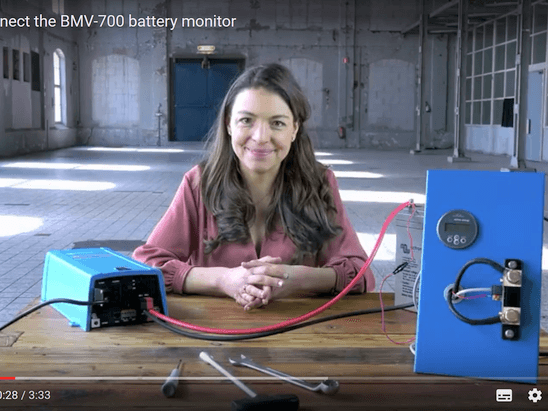
John Rushworth • 31 March 2017
Instructional video: How to connect the BMV-700 battery monitor
From time to time we hear of people saying they can’t see the loads on their BMV battery monitor – this is down to incorrect wiring. This new instructional video is an aid to ensure the BMV is wired correctly. BMV-700 series models There are 3 model variants within the BMV series range : BMV-700 & BMV-702 (6.5- 95 VDC supply voltage range) and the BMV-700HS (60– 385 VDC supply voltage range). The principal function of the BMV series is to follow and indicate the state-of-charge of a battery. The video below gives clear instructions to ensure the BMV-700 and related models are wired correctly. For the additional functionality that the BMV-702 provides, namely starter battery or temperature or mid-point voltage monitoring, please see the quick install guide . How to connect the BMV-700 battery monitor Video text transcript Hello and welcome! In this instructional video I will show you how to connect your BMV-700 battery monitor. The main function of the BMV is to follow and indicate the state-of-charge of a battery. To connect the BMV-700 you will need the following tools: A terminal screwdriver A socket wrench Inside the box of the BMV you will find: A BMV-700 A Shunt A UTP cable And a Positive supply cable to power the BMV You can mount the BMV with or without the square bezel. Please read the quick installation guide to see how to mount the BMV with the bezel. The mounting ring has 2 sides. With this side you can mount the BMV to a 7 to 18 millimetre thick plate or wall. With the other side of the ring, you can mount the BMV to a plate or wall with a thickness of 0.5 to 8 millimetres. Connect the BMV to the shunt with the UTP cable. Then connect the terminal ring of the positive supply cable to the plus pole of the battery. We will mount it on top of the plus cable. The other side of this cable goes into the green terminal of the shunt. Use the terminal screwdriver to push down the orange connection and then insert the cable. The Shunt has 2 poles: one for the battery and one for Load and Charger. It is important not to mix up these two. Connect the ‘- Load and Charger’ side of the shunt to all the Load and Chargers in the system. Connect the negative pole of the battery directly to the ‘- Battery’ side of the shunt. Do not connect anything else to this side of the shunt. In this way, the shunt will measure all current that is going in and coming out of the battery. Your BMV is now ready for configuration. When you start up the BMV for the first time, the scrolling text ‘Battery capacity’ will show up. Press any button to stop scrolling and the factory default value 200 Amp hours will appear in edit mode: the first digit will blink. Enter the desired value with the + and – buttons. Press SELECT to set the next digit in the same manner. Repeat this procedure until the required battery capacity is displayed. The capacity is automatically stored when the last digit has been set by pressing SELECT. This is indicated with a short beep. Your BMV-700 is now ready to use! Thank you for watching this video. Conclusion Thanks to Marianka Pranger for organising this and Claire for narrating the video. If you have any particular instructional videos that you’d like to see made, please leave a comment in Disqus below or email Marianka directly at: mpranger@victronenergy.com Additional videos in the instructional video series can be found at: https://www.victronenergy.com/blog/category/instructional-videos/ John Rushworth
John Rushworth • 10 February 2017
Instructional video for VEConfigure 3
Today we have released another instructional video. This five minute video shows the basics of using VEConfigure 3; which allows you to program and update settings in VE.Bus products such as Phoenix Inverters, Phoenix Chargers, Multis and Quattros. Instructional Video Conclusion Thanks to Marianka Pranger for organising this and Claire for narrating the video. If you have any particular instructional videos that you’d like to see made, please leave a comment in Disqus below or email Marianka directly at: mpranger@victronenergy.com More information about VE Configuration tools for VE.Bus Products and other Software products and Apps can be found on our software downloads page. Additional videos in the instructional video series can be found at: https://www.victronenergy.com/blog/category/instructional-videos/ John Rushworth
John Rushworth • 20 January 2017
Instructional video: Upgrade CCGX firmware to v2.00
This excellent instructional video gives clear, straightforward instructions to upgrade to the recently released Color Control GX firmware v2.00 – an upgrade packed with new features and improvements. Unlike previous updates, v2.00 cannot be installed from the internet. Instead it needs a one time manual upgrade . After this, future updates can be installed automatically via the internet once again. Instructional video Many thanks to Marianka Pranger for producing this professional video at short notice. John Rushworth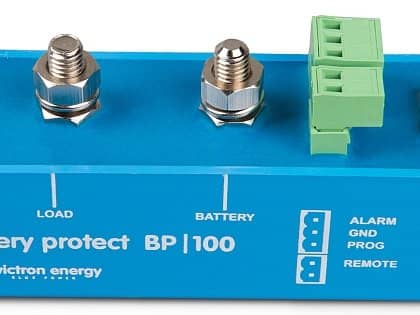
John Rushworth • 15 August 2016
BatteryProtect: New instructional videos
Two new videos, for Battery Protect, have been added to the Victron Energy instructional video series. Introduction to the Victron Energy BatteryProtect How to program the BatteryProtect Here are those videos. Introduction to the Victron Energy BatteryProtect How to program the BatteryProtect BatteryProtect key features LED display making setup/programming easy. Often used in lithium systems due to low standby current in comparison to a relay. Lithium system remotely controllable disconnect switch. Note that this no longer uses its internal voltage measurement for disconnecting, as it is now remotely controlled by the BMS. Ideal for vehicles, solar installations, boats and motorhomes. Solid state switching for longevity. Lower energy consumption than closing a relay. Can act as a battery isolator and be switched remotely. Use in conjunction with a BMV-700 series battery monitor for audible alarms and monitoring. And why not use the VictronConnect app & Bluetooth Smart dongle with your BMV or MPPT solar charge controller – making life even easier. Example schematic What does BatteryProtect do? BatteryProtect will disconnect the battery from non-essential loads before it is completely discharged (which would damage the battery) or before it has insufficient power left, to crank an engine for example. Here are the features common to all models: Programming made easy using visual LED – can be set to engage / disengage at several different voltages. The seven segment display will indicate which setting has been chosen. Special setting for Li-ion batteries – in this mode the Battery Protect can be controlled by the VE.Bus BMS. Ultra-low current consumption – this is important in case of Li-ion batteries, especially after low voltage shutdown. Please see our Li-ion battery datasheet and the VE.Bus BMS manual for more information. Over voltage protection – to prevent damage to sensitive loads due to over voltage, the load is disconnected whenever the DC voltage exceeds 64V; 16 V and 32V respectively for 12V and 24V systems. Ignition proof – no relays but MOSFET switches, and therefore no sparks. Delayed alarm output – the alarm output is activated if the battery voltage drops below the preset disconnect level for more than 12 seconds. Starting the engine will therefore not activate the alarm. The alarm output is a short circuit proof open collector output to the negative (minus) rail, max. current 50mA. The alarm output is typically used to activate a buzzer, LED or relay. Delayed load disconnect and delayed reconnect – the load will be disconnected 90 seconds after the alarm has been activated. If the battery voltage increases again to the connect threshold within this time period (after the engine has been started for example), the load will not be disconnected. The load will be reconnected 30 seconds after the battery voltage has increased to more than the preset reconnect voltage. Model Range 12/24V models In addition to the features above (if choosing a 12/24V model) these have automatic detection of 12 or 24 V system voltages. BatteryProtect 12/24V 65A BatteryProtect 12/24V-100A BatteryProtect 12/24V-220A 48V model BatteryProtect 48V-100A Conclusion We hope you find these instructional videos useful. Do let us know if there are others you would like to see. Videos for other Victron Energy products can be found in this blog category: https://www.victronenergy.com/blog/category/instructional-videos/ BatteryProtect is an affordable multi function product, which can be fitted to new systems or as an upgrade to old ones. Learn more at: https://www.victronenergy.com/battery_protect/battery-protect John Rushworth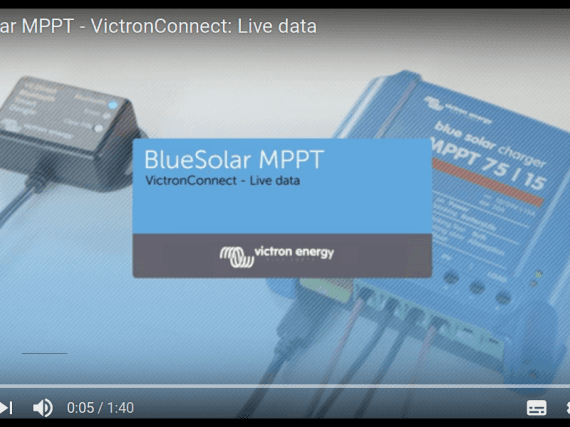
John Rushworth • 01 August 2016
BlueSolar MPPTs: VictronConnect instructional videos
Two new videos have now been added to the Victron Energy instructional video series. They are: BlueSolar MPPT – VictronConnect: How to change settings BlueSolar MPPT – VictronConnect: Live data Here are those videos: BlueSolar MPPT – VictronConnect: How to change settings BlueSolar MPPT – VictronConnect: Live data Further information Manuals on Victron Live VE.Direct to Bluetooth Smart dongle VictronConnect Product pages VE.Direct Bluetooth Smart dongle Solar charge controllers Software VictronConnect app Related products Other products that can currently use VictronConnect (besides the BlueSolar MPPT range) are: BMV-700 series Blue Smart IP65 Charger with DC connector Conclusion We hope you find these new instructional videos useful. Additional instructional videos in this series can be found under the blog category: https://www.victronenergy.com/blog/category/instructional-videos/ Other videos that may also be of interest are posted on the Victron Energy YouTube channel: https://www.youtube.com/user/VictronEnergyBV Are there new videos you’d like to see? If so, do let us know in the Disqus comments. John Rushworth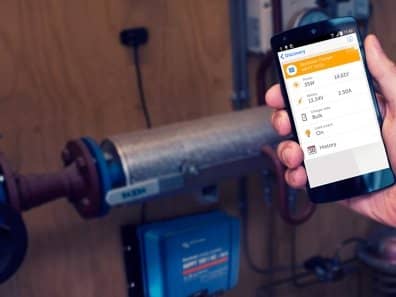
John Rushworth • 11 April 2016
VictronConnect: New BlueSolar MPPT instructional video
Recently we’ve blogged about the capabilities of VictronConnect (in conjunction with a VE.Direct to Bluetooth Smart dongle) to monitor and configure products such as BMV Battery Monitors, Blue Smart IP65 Chargers and MPPT Solar Charger Controllers. To compliment product information and Victron Live manuals – here is the second instructional video in the VictronConnect video series. How to get a readout from an MPPT with a VE.Direct Bluetooth Smart dongle Further information Manuals on Victron Live VE.Direct to Bluetooth Smart dongle VictronConnect Product pages VE.Direct Bluetooth Smart dongle Solar charge controllers Software VictronConnect app Related blogs New Blue Smart IP65 Chargers: Be Blue Smart and get connected! (includes instructional video) New inverter range: Totally redesigned from the inside out VictronConnect 1.3: adds firmware updates Related products Other products that can currently use VictronConnect (besides the BlueSolar MPPT range) are: BMV-700 series Blue Smart IP65 Charger with DC connector Conclusion This VictronConnect/MPPT instructional video is the 2nd in a series of videos posted on the Victron Energy YouTube channel . The previous one is: Blue Smart IP65 Charger – Professional battery charger Do let us know the value of these videos for you in the Disqus comments section below – and of course any additional videos you’d like to see. John Rushworth
John Rushworth • 24 July 2015
Sound & Vision: Victron Energy training videos
Whilst many of you by now are using Victron Live for additional technical information, we thought we’d take things a step further by adding training videos to our YouTube channel. The printed word and images for technical information are great, but not everyone learns best that way – so now we have Sound & Vision to complement that. Here then are the links to our first training video. Updating the firmware in a Victron Energy Multiplus YouTube English instruction video: https://www.youtube.com/watch?v=ZIn0mHLqU5Y YouTube English instruction video with German subtitles: https://www.youtube.com/watch?v=sAJMeNlxlU0 Feedback We welcome your feedback and ideas for the Victron Energy YouTube channel. Victron Energy YouTube channel: https://www.youtube.com/user/VictronEnergyBV John RushworthTrenger du råd? Våre kunskapsfulle forhandlere er mer enn glad for å hjelpe deg. Selv med store og små spørsmål.
Finn en forhandler nær deg
Sjekk med vår support ressurs eller kontakt din lokale forhandler for dedikert support, reparasjon eller garantiforespørsel.
Support
Les mer om vår bransjeledende 5-års standardgaranti og globale reparasjonsservice.
Garanti

Meld deg på vårt nyhetsbrev på ditt foretrukne språk

Dette er Victron

Personvernserklæring
Informasjonskapselpreferanser
Bruk av informasjonskapsler
Vilkår for bruk
Juridisk merknad
©Victron Energy 2026