Slik kjøper du
Trenger du råd? Våre kunskapsfulle forhandlere er mer enn glad for å hjelpe deg. Selv med store og små spørsmål.
Finn en forhandler nær deg
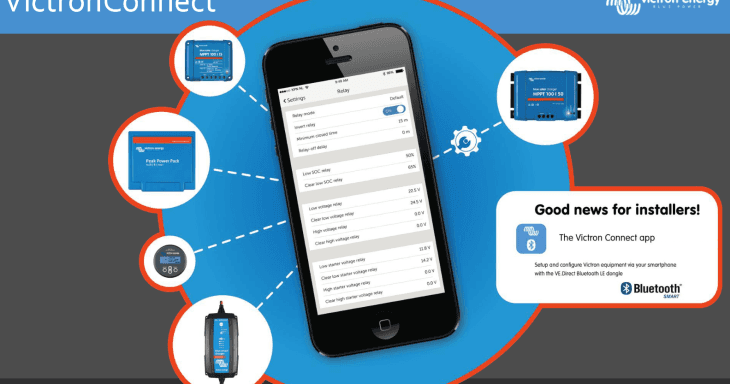
VictronConnect: Good news for installers!
The new version of VictronConnect is now available, for both iOS and Android.
Approximately a year ago we made our first Bluetooth baby steps: with the help of a VE.Direct Bluetooth LE dongle which is now called the VE.Direct Bluetooth Smart dongle, basic information could be seen, on a phone, using Bluetooth, from our MPPT Solar chargers as well as the BMV-700 Battery Monitor series.
And I am happy to report that it can do much more: now you’ll be able to configure the Solar Chargers and BMVs straight from your phone. Doing is believing: configuring those products has never been so easy – fun actually!
No longer balance a laptop at your knee while having it connected to a wall mounted MPPT with a USB cable that is just a little bit too short. I’ve been there and done that. Including almost dropping a laptop or having it running out of power…
Being an installer, just plug-in the dongle which will be part of your standard kit. Then take out your phone and configure the product. You’ll be done in no time.
Also, instead of only available for iOS, the Bluetooth function now also works for Android.
The new App can also read all historical values, from both the BMV and the Solar Chargers. And that includes the Solar Charger 30-Day history:
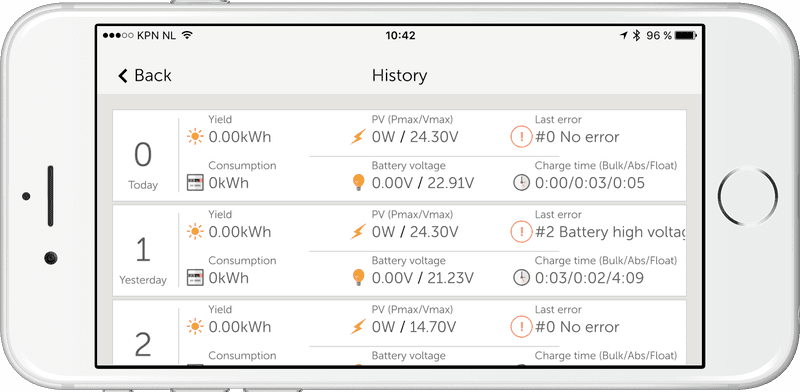
Note that there is more historical information available than visible in that screenshot: swipe a line to the left to see the rest.
Here are number of screenshots showing the new functionality:
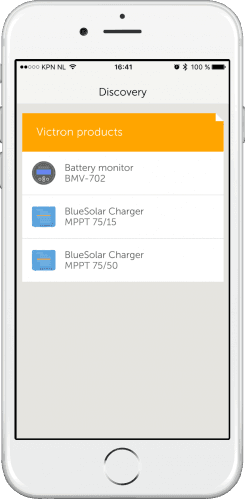
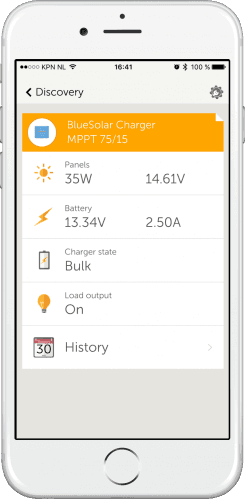
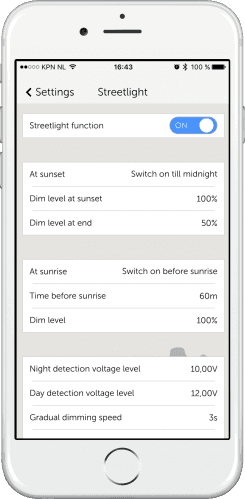
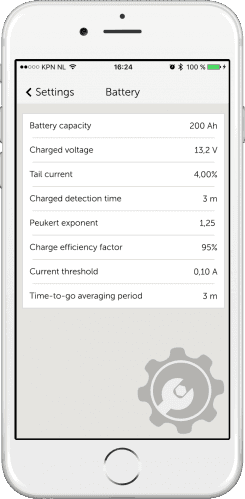
For a full list of screenshots, showing all different functionalities and settings, see the VictronConnect manual.
To install the app, upgrade it from your App store. The App will then automatically update the dongle firmware when using it the first time. Be warned that this dongle firmware update can be a bit of a hassle: all steps need to be followed patiently and accurately. More information, including screenshots of the whole process, can be found here.
So… please install the app and use the comments to let us know what you think! In the meantime we are already working on the next versions, which will include Windows and Mac OS (!), as well as adding an option to update firmware of connected products, for example Solar Chargers.
Have a good day and enjoy! Matthijs
Trenger du råd? Våre kunskapsfulle forhandlere er mer enn glad for å hjelpe deg. Selv med store og små spørsmål.
Finn en forhandler nær deg
Sjekk med vår support ressurs eller kontakt din lokale forhandler for dedikert support, reparasjon eller garantiforespørsel.
Support
Les mer om vår bransjeledende 5-års standardgaranti og globale reparasjonsservice.
Garanti

Meld deg på vårt nyhetsbrev på ditt foretrukne språk

Dette er Victron

Personvernserklæring
Informasjonskapselpreferanser
Bruk av informasjonskapsler
Vilkår for bruk
Juridisk merknad
©Victron Energy 2026